



Generate a real, structured design doc from your architecture in under 2 minutes — then keep iterating. Change the diagram and the doc auto-syncs the affected sections, so your AI agent always has fresh context.
Or try an example:
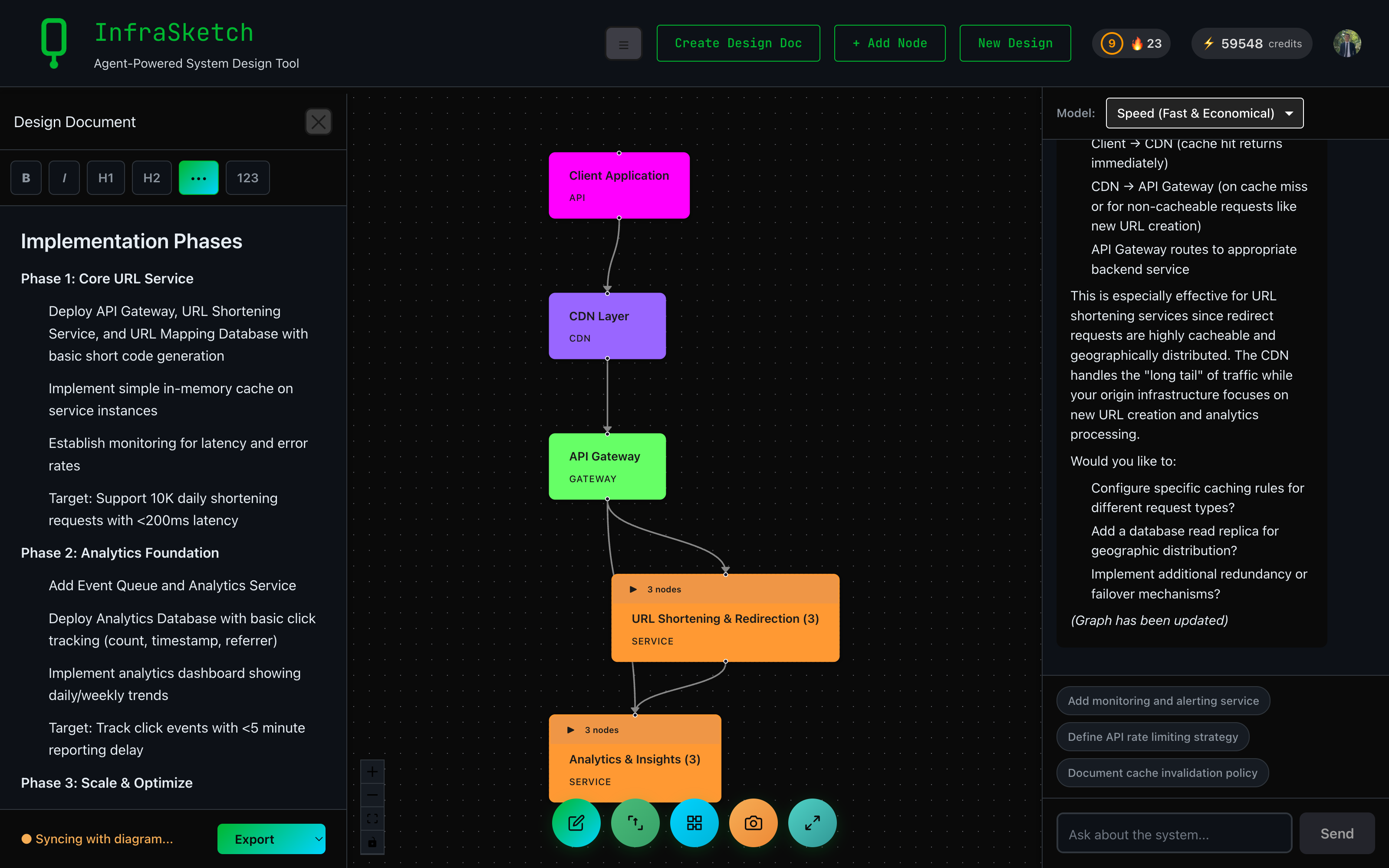
Diagram and design doc, side by side — auto-syncing as you edit
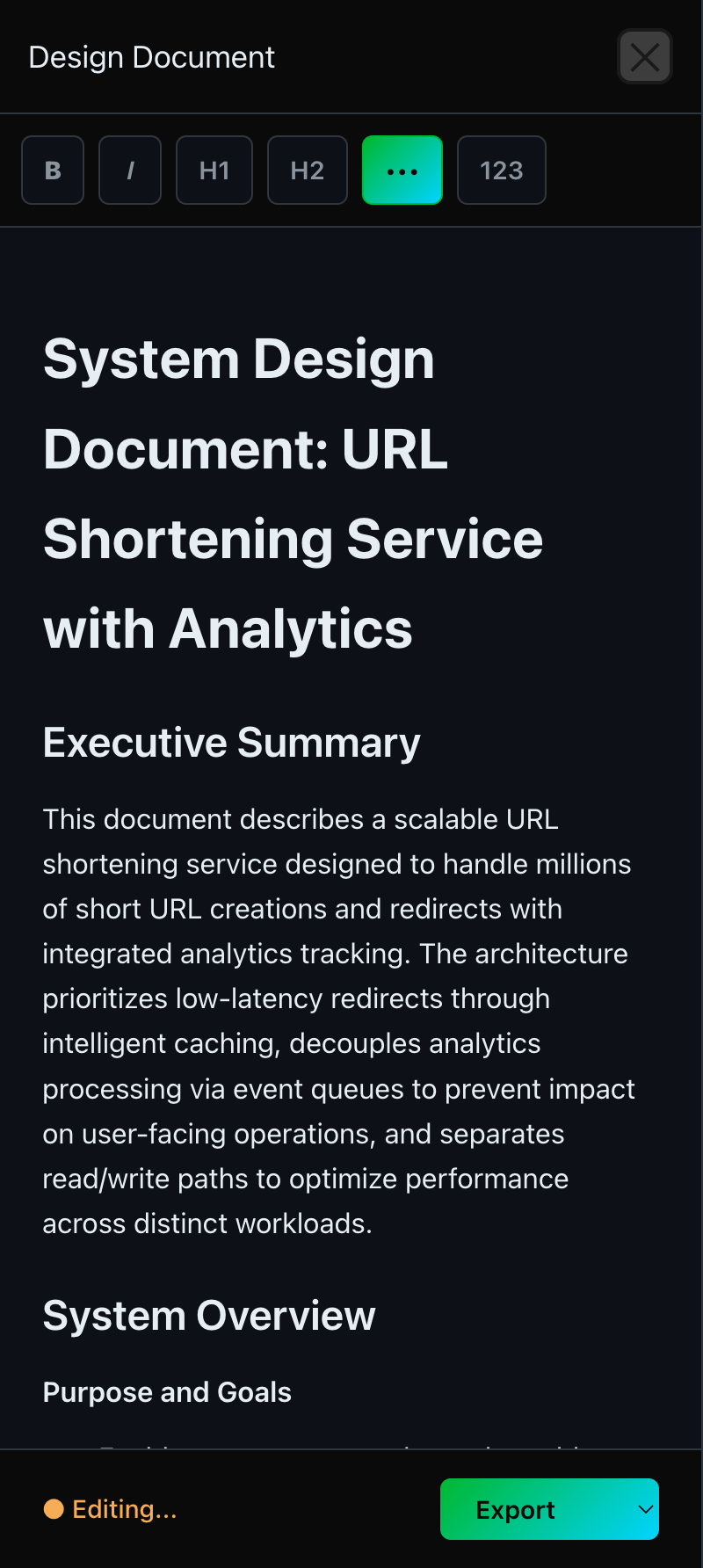
A real, structured design document — generated in under 2 minutes
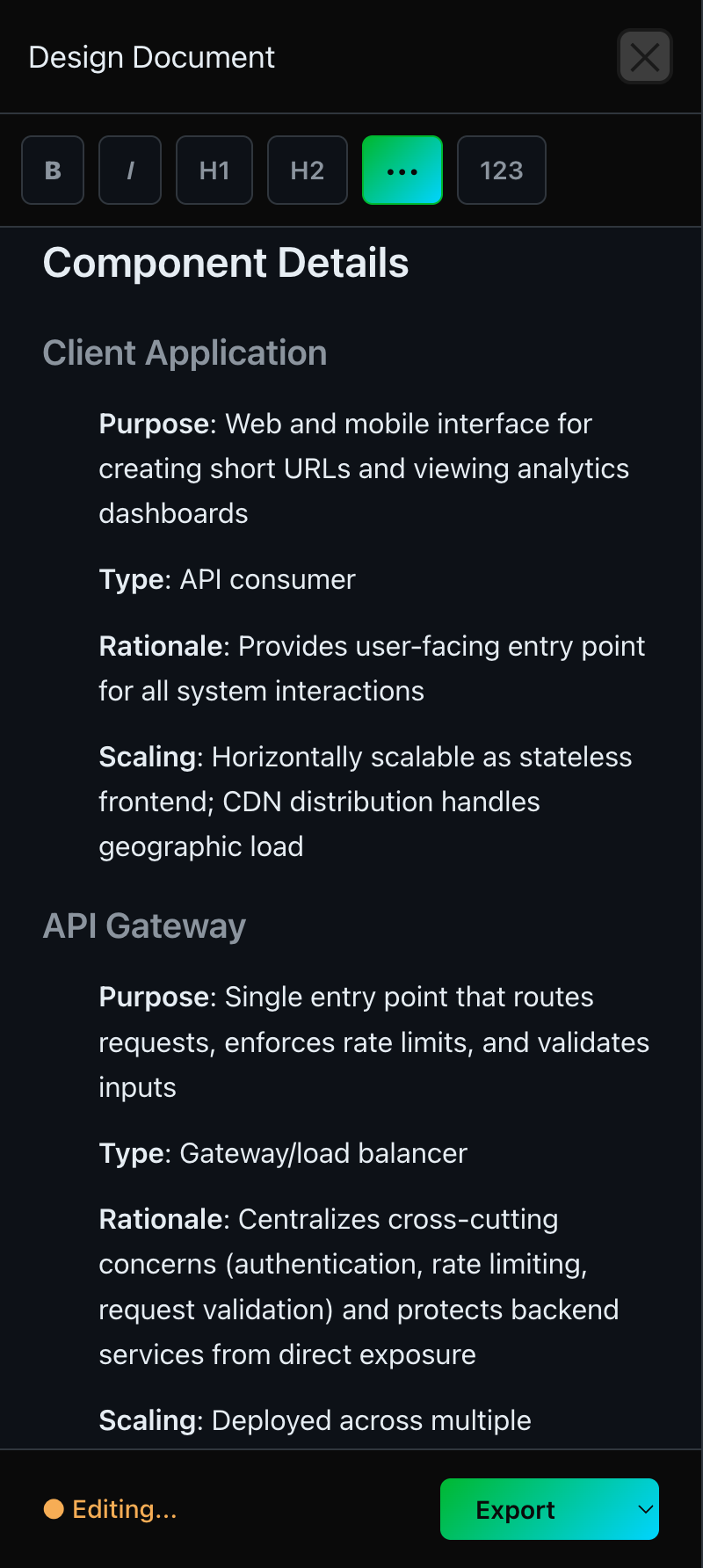
Component Details: purpose, type, rationale, scaling — for every node
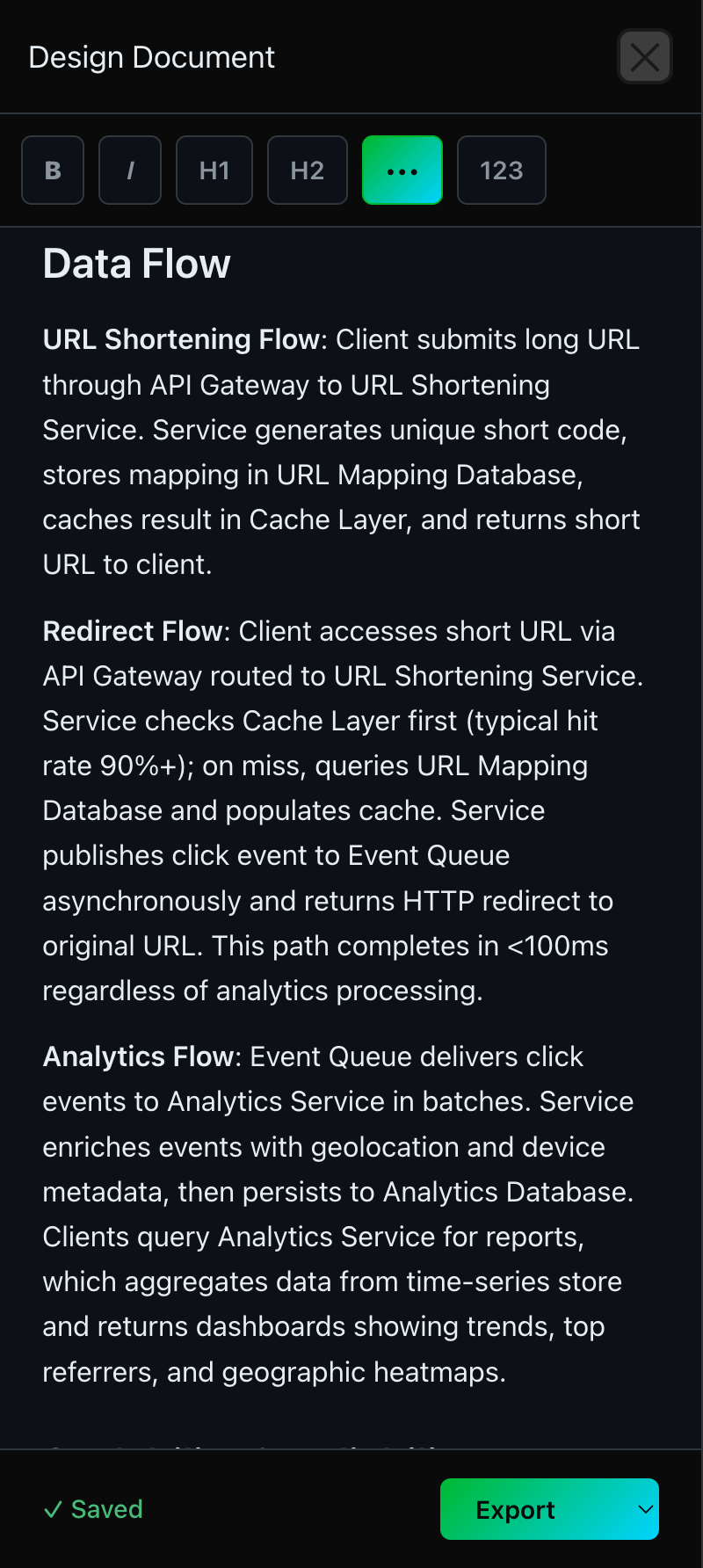
Data Flow: concrete paths with latency and hit-rate targets
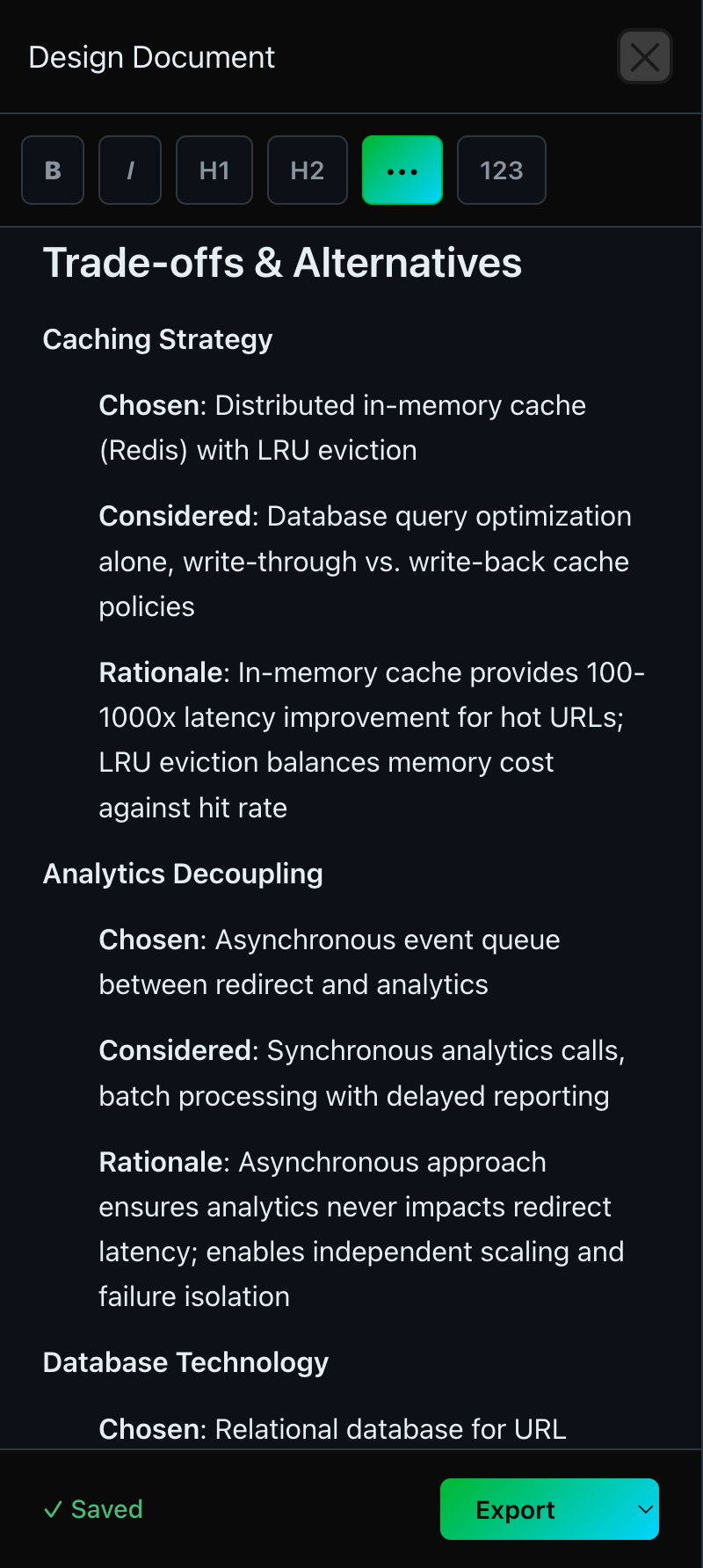
Trade-offs: chosen vs. considered, with rationale
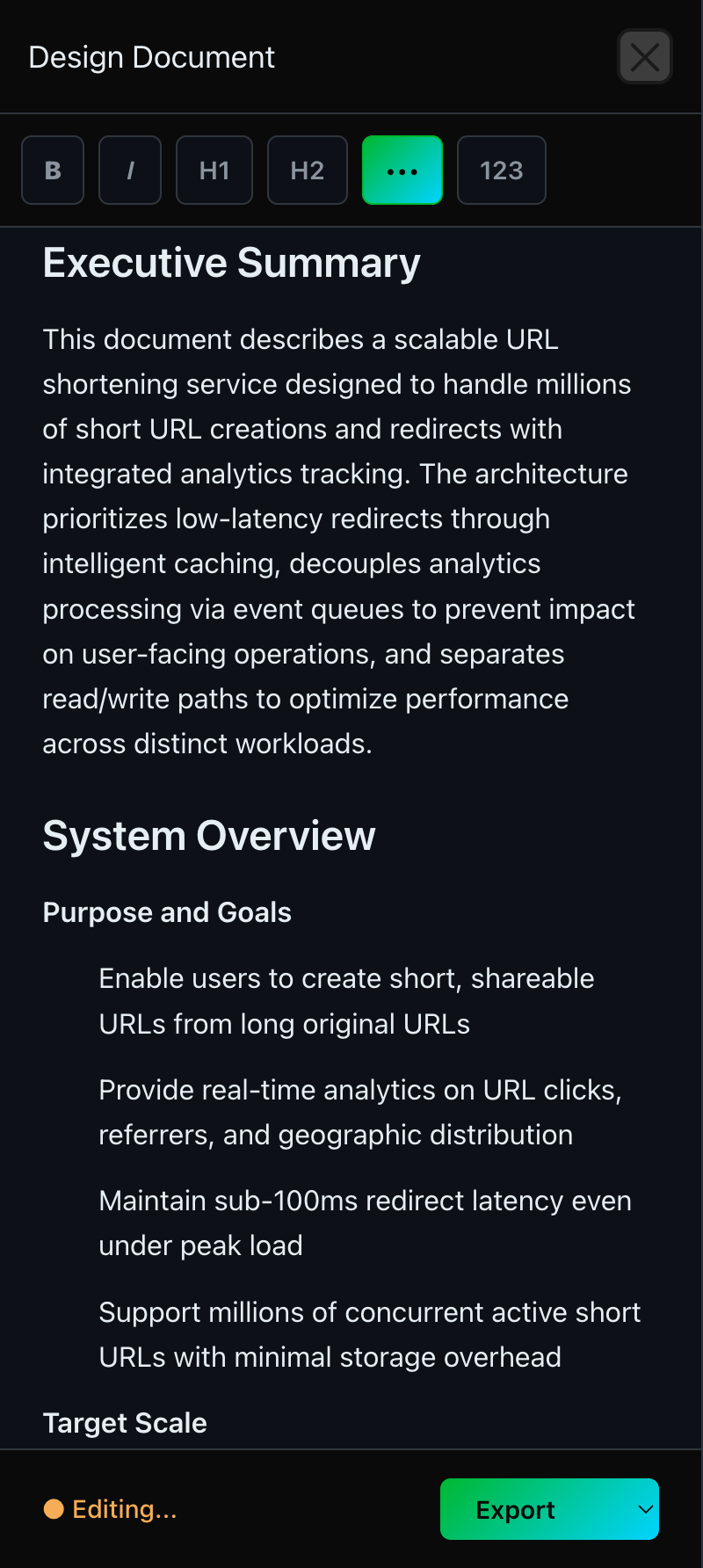
Executive Summary plus Purpose, Goals, and Target Scale
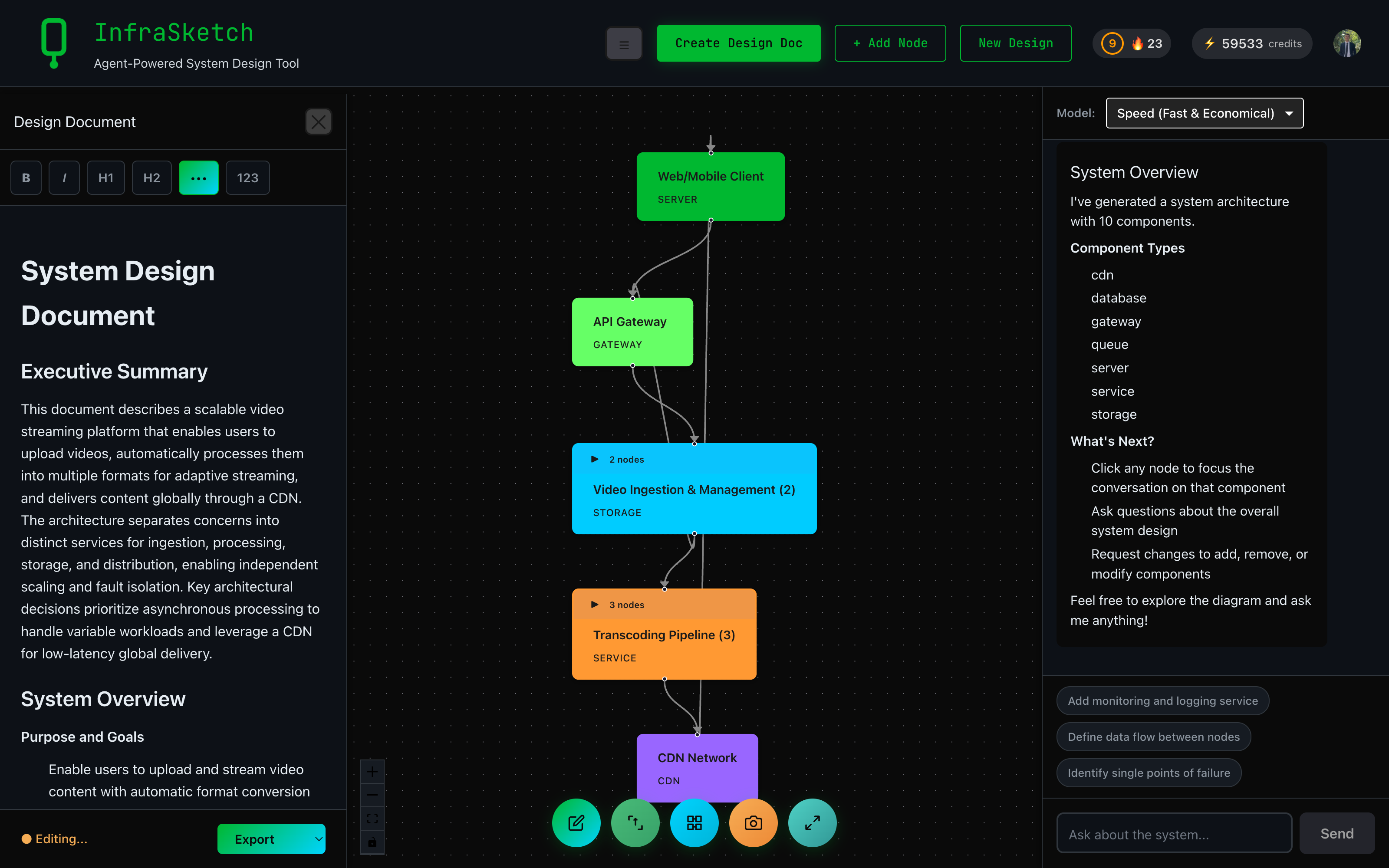
Same flow for any system: video streaming, e-commerce, anything
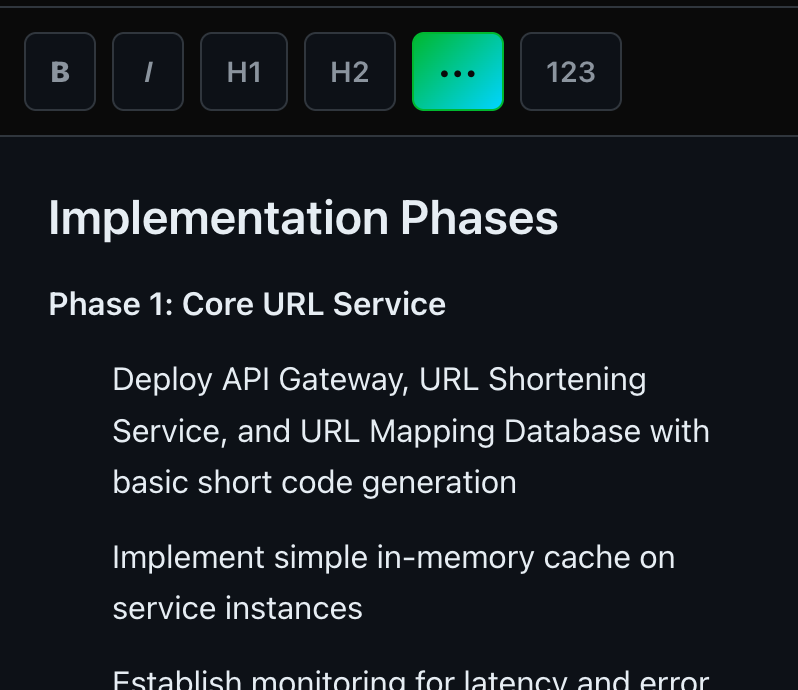
Edit inline with a rich text editor — bold, headings, lists
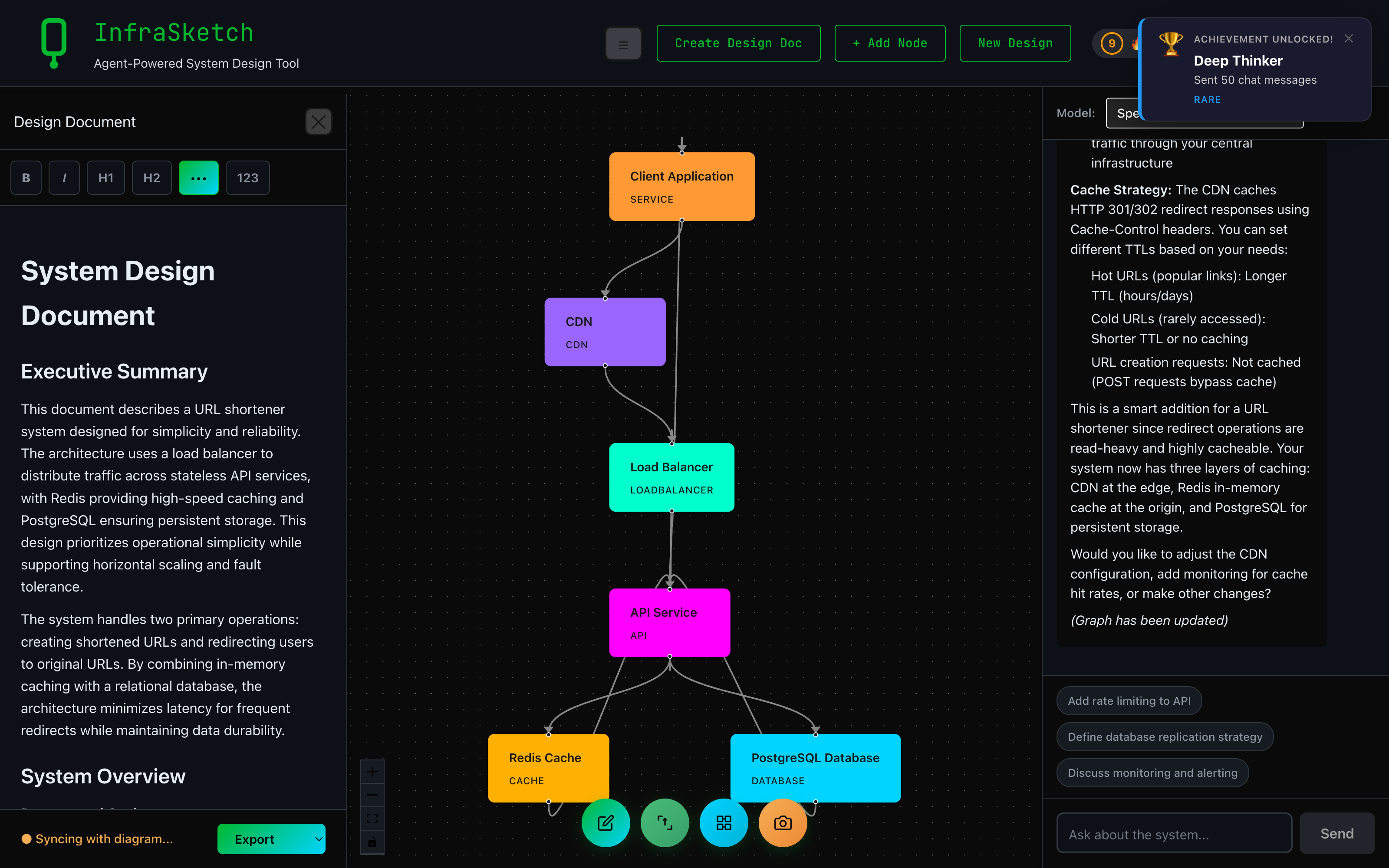
Change the diagram, the doc auto-updates the relevant sections
Other tools generate diagrams. InfraSketch generates a diagram and a real design doc — and keeps them in sync as you iterate. The diagram is for your team. The doc is for your AI agent. Both stay current automatically.
Real screenshots from a generated URL-shortener doc. No mocks, no marketing fluff. Click any image to see it full-size.
A 1-2 paragraph summary of system purpose, plus Purpose & Goals and Target Scale bullets.
Every component gets Purpose, Type, Rationale, and Scaling. No hand-waving.
Concrete request paths with cache hit-rate targets and latency budgets.
What was Chosen, what was Considered, and the Rationale for each decision.
| Feature | InfraSketch | Eraser | Lucidchart | Miro |
|---|---|---|---|---|
| AI Diagram Generation | ✓ | ✓ | ✗ | ✓ |
| Auto Design Document Generation | ✓ | ✗ | ✗ | ✗ |
| Auto-Sync Diagram & Doc | ✓ | ✗ | ✗ | ✗ |
| Chat-Based Refinement | ✓ | ✗ | ✗ | ✗ |
| PDF Export | ✓ | ✓ | ✓ | ✓ |
| Markdown Export | ✓ | ✓ | ✗ | ✗ |
| Free Tier | ✓ | ✓ | ✓ | ✓ |
One click turns your architecture diagram into a comprehensive design document. No manual writing, no blank-page paralysis.
Add a node, swap a database, change a connection — the relevant sections of the doc update themselves. No regeneration. No stale specs.
Hand the doc to Claude Code, Cursor, or ChatGPT and let them implement it. Structured markdown with named components, explicit data flows, and clear trade-offs — exactly what agents need.
Refine both diagram and documentation through natural conversation. Ask the AI to expand a section, change a technology, or rethink a trade-off.
Executive Summary, System Overview, Component Details, Data Flow, Infrastructure, Scalability, Security, Trade-offs, Implementation Phases — every section a real design doc needs.
Export as a professional PDF for stakeholders or Markdown for your wiki. The diagram is embedded in the PDF. Perfect for PRDs, RFCs, and onboarding docs.
Every design document includes 12 comprehensive sections:
High-level overview of the system purpose and architecture
Detailed description of the system and its components
Visual representation embedded in the document
Deep dive into each component, its role, and technology choices
How data moves through the system
Deployment, hosting, and infrastructure requirements
How the system handles growth and load
Authentication, authorization, and security considerations
Design decisions and their implications
Suggested rollout plan and milestones
Potential improvements and extensions
Additional technical details and references
Describe your system in plain English and let InfraSketch generate your architecture diagram
One click starts the AI documentation generation. Watch as 12 sections are written for you.
Review the generated document in the rich text editor. Make any changes or ask the AI to refine sections.
Export as PDF for presentations or Markdown for your wiki. The diagram is embedded in the document.
A design document generator automatically creates technical documentation from your system architecture. InfraSketch generates comprehensive design docs from your diagrams, including component details, data flows, scalability considerations, and implementation plans.
Manual documentation takes hours and goes stale the moment you change the architecture. InfraSketch generates the initial doc in under 2 minutes — and then auto-syncs it. Add a node or change a connection, and the relevant sections of the doc update themselves. No regeneration. No diff-checking docs against diagrams.
Generated documents include 12 standard sections: Executive Summary, System Overview, Architecture Diagram, Component Details, Data Flow, Infrastructure, Scalability, Security, Trade-offs, Implementation Phases, Future Enhancements, and Appendix.
Yes. The document opens in a rich text editor where you can make any changes. You can also use chat to ask the AI to modify specific sections. Export when you are satisfied.
Export as PDF for sharing with stakeholders, or Markdown for wikis and version control. The PDF includes the architecture diagram embedded in the document.
Generate your first diagram and design doc in under 5 minutes. Watch them stay in sync as you iterate. Hand the doc to your AI agent and let it build.
Start Free