




ChatGPT generates Mermaid code you render separately. InfraSketch generates visual, interactive architecture diagrams directly, with design documents included.
Or try an example:
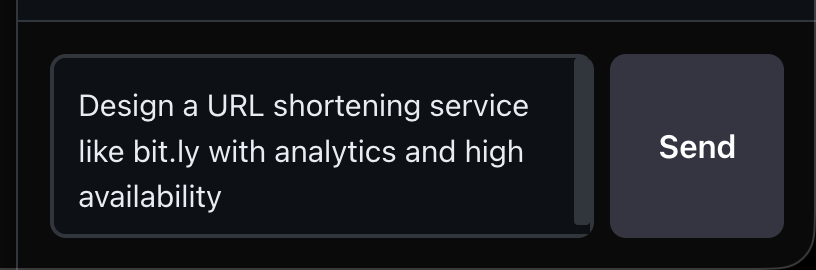
Describe your system in natural language
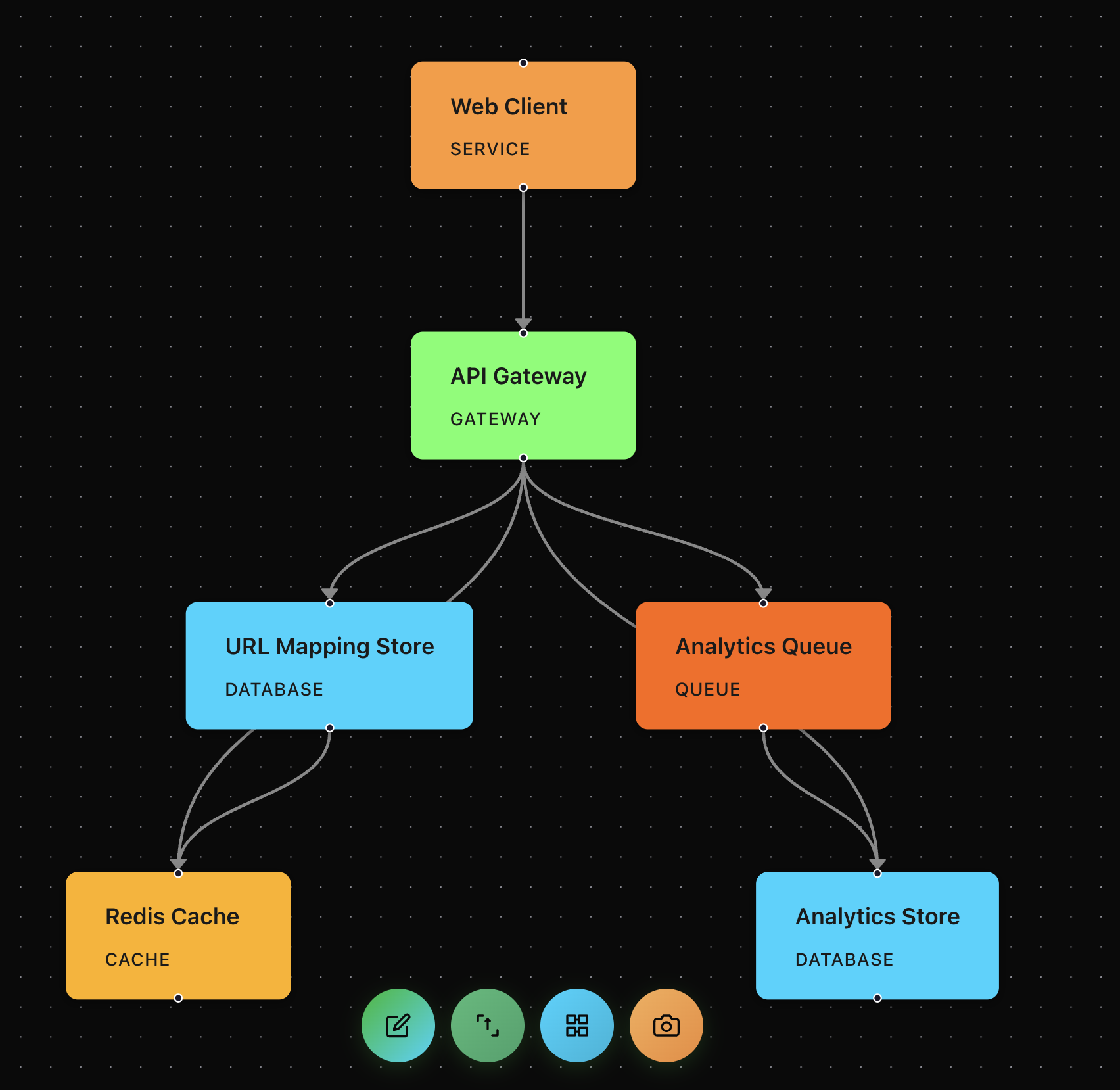
AI generates a complete architecture diagram
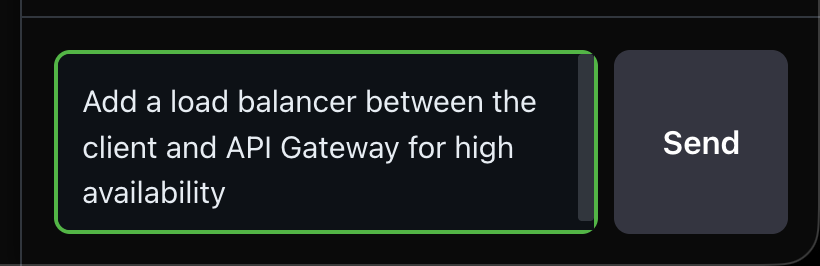
Refine your design through conversation
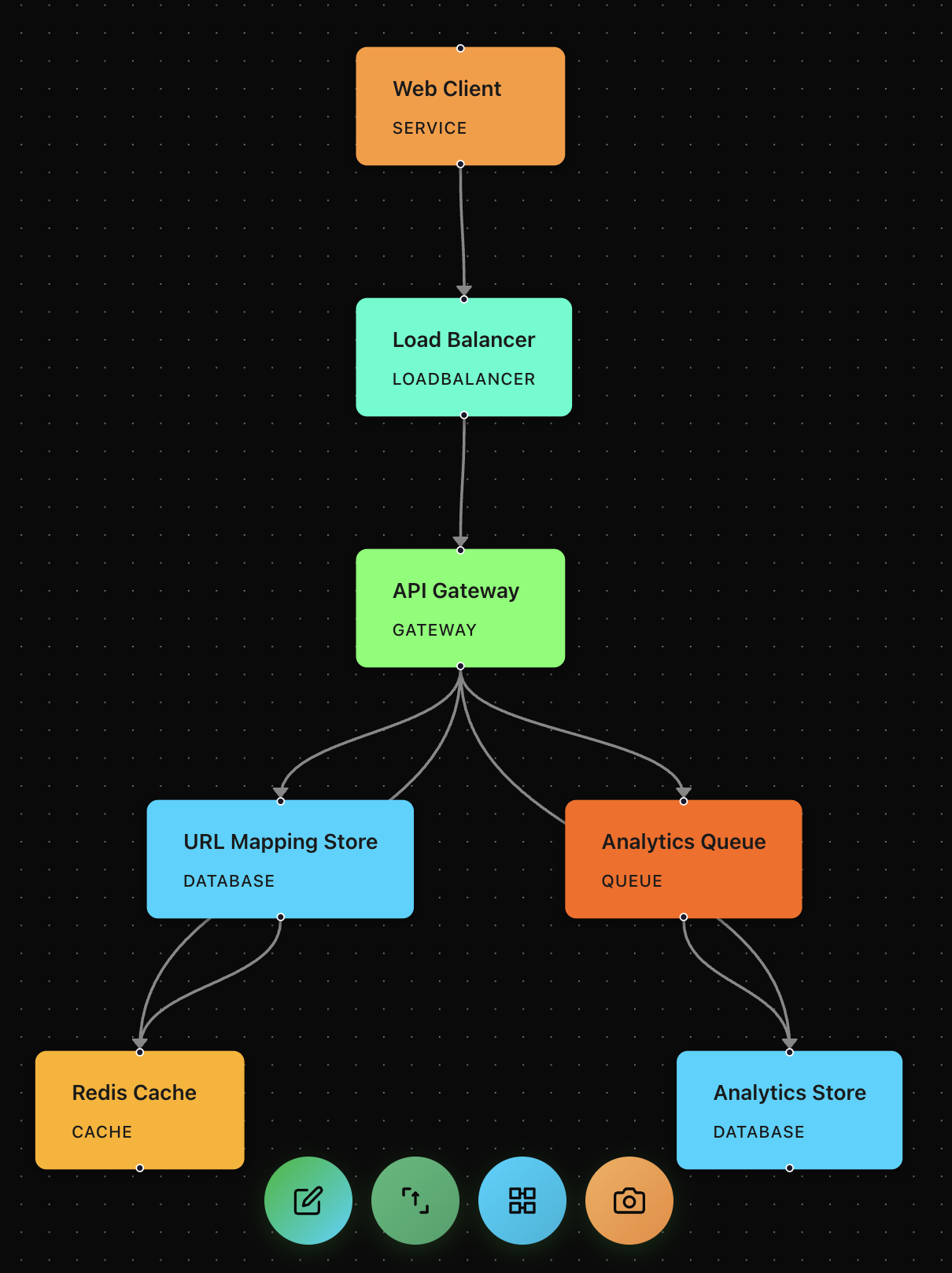
Watch your diagram update in real-time
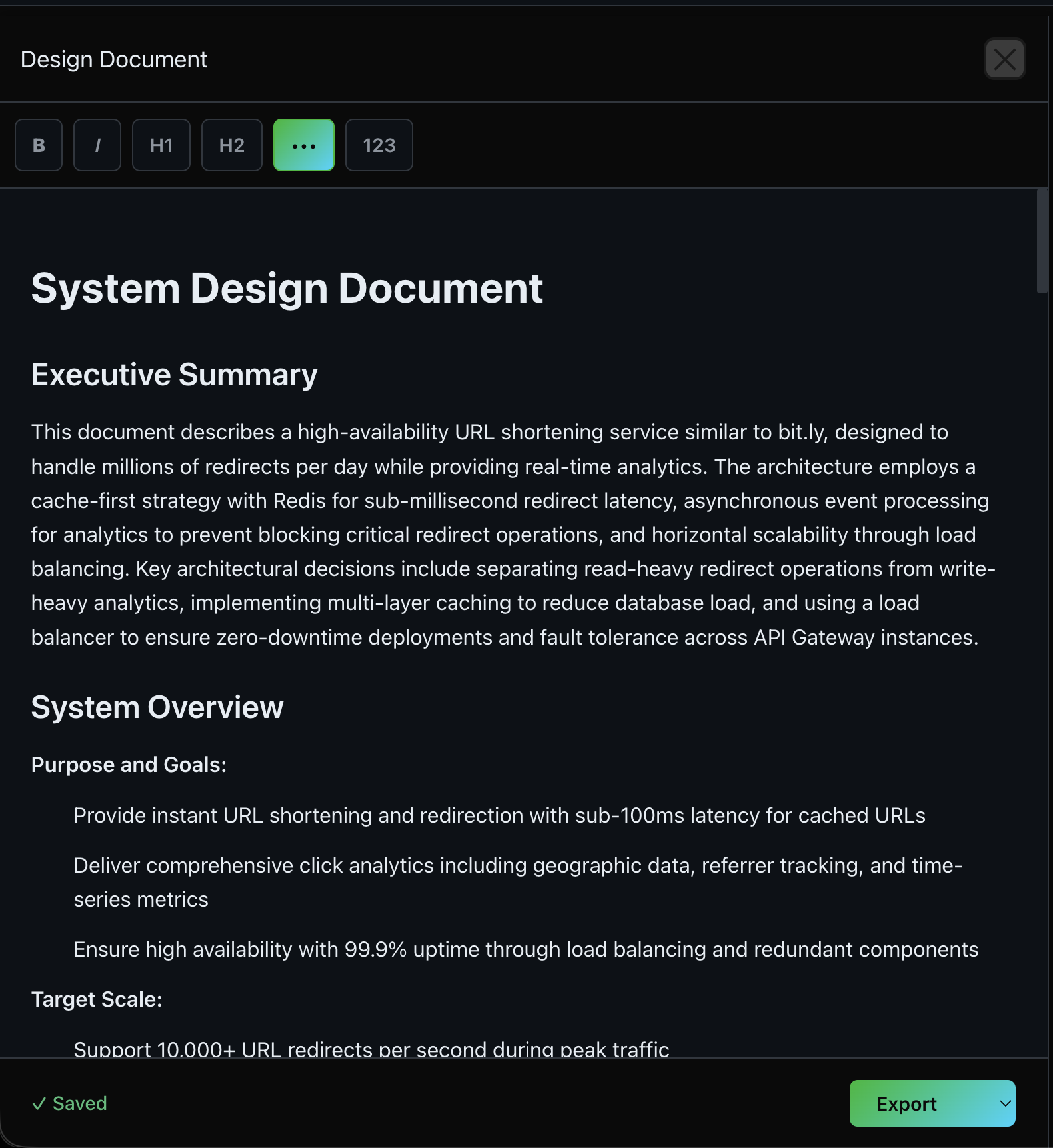
Generate comprehensive design documentation
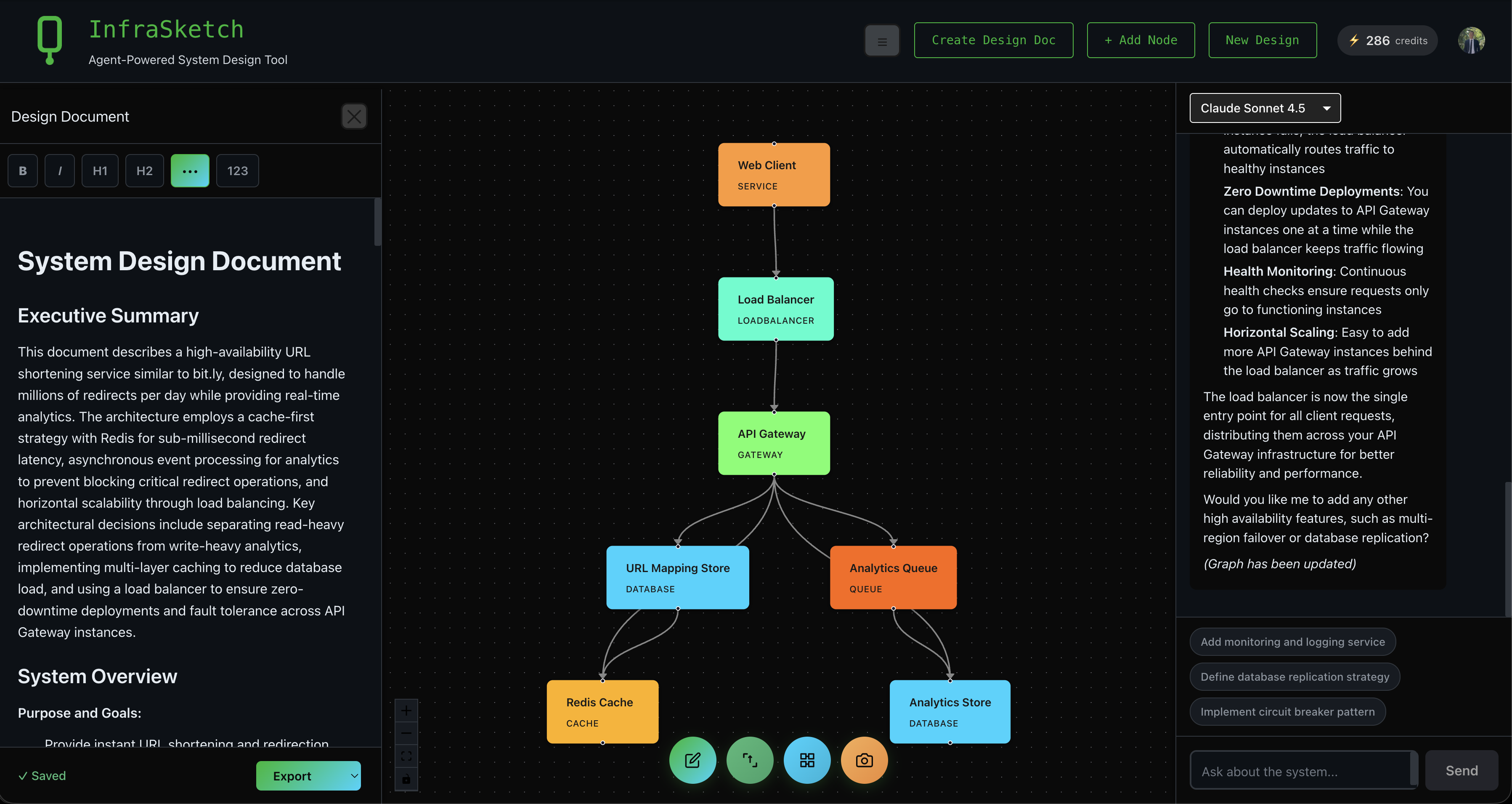
Complete workspace with all panels
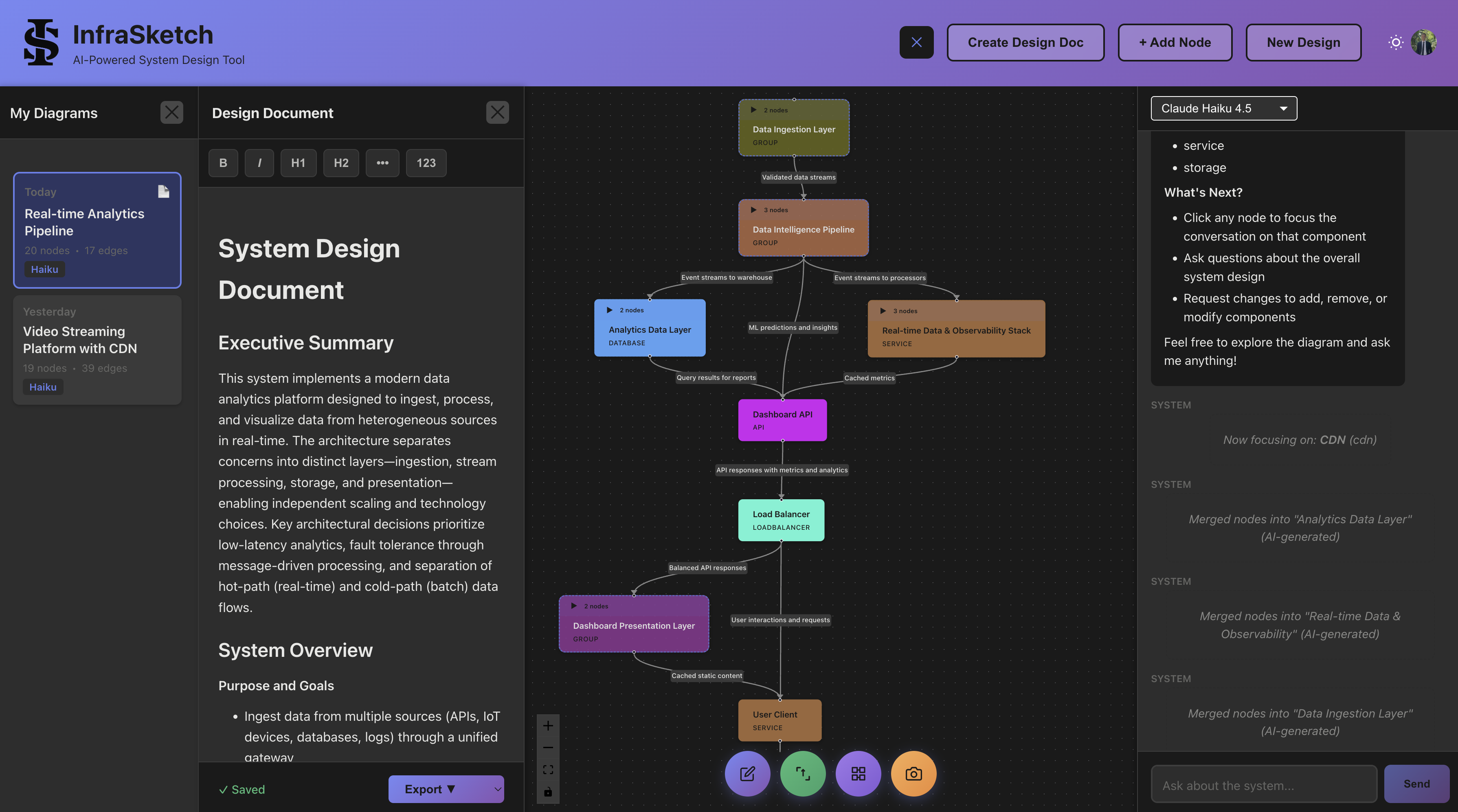
Manage multiple designs with session history
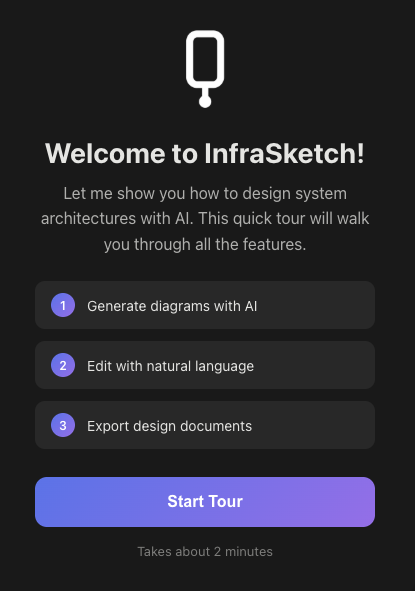
Interactive tutorial guides you through the basics
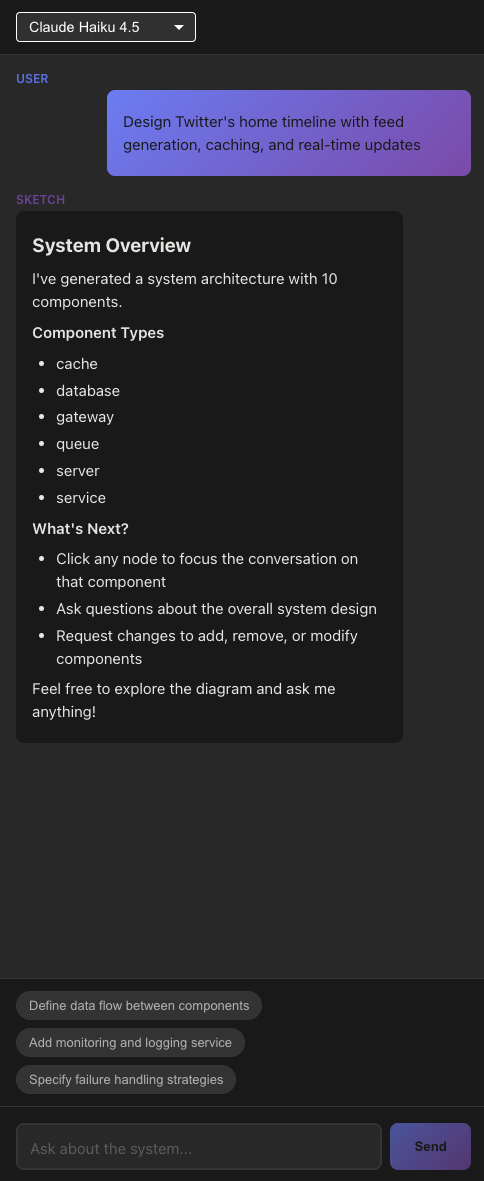
Smart suggestions help you iterate on your design
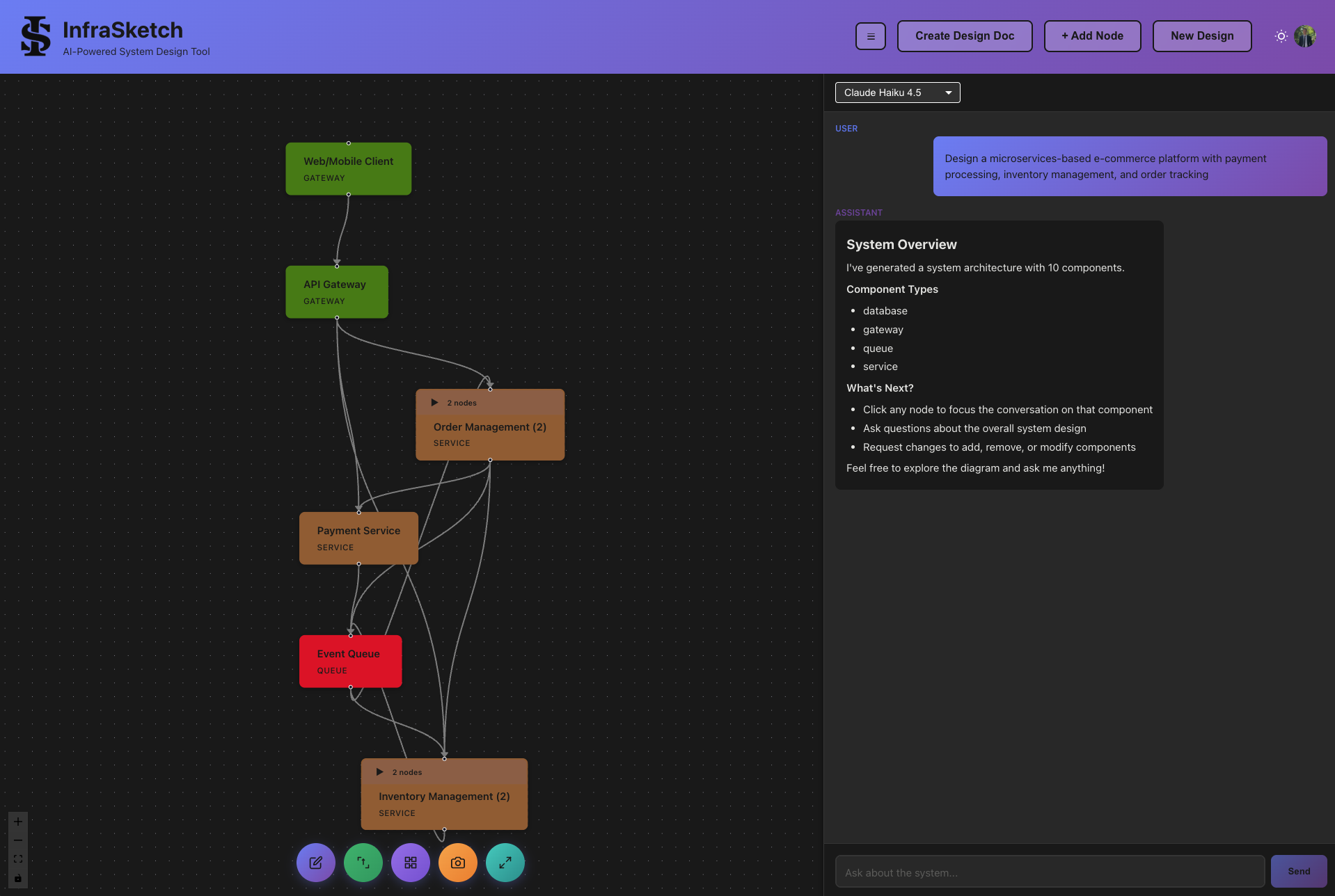
Organize components into collapsible groups
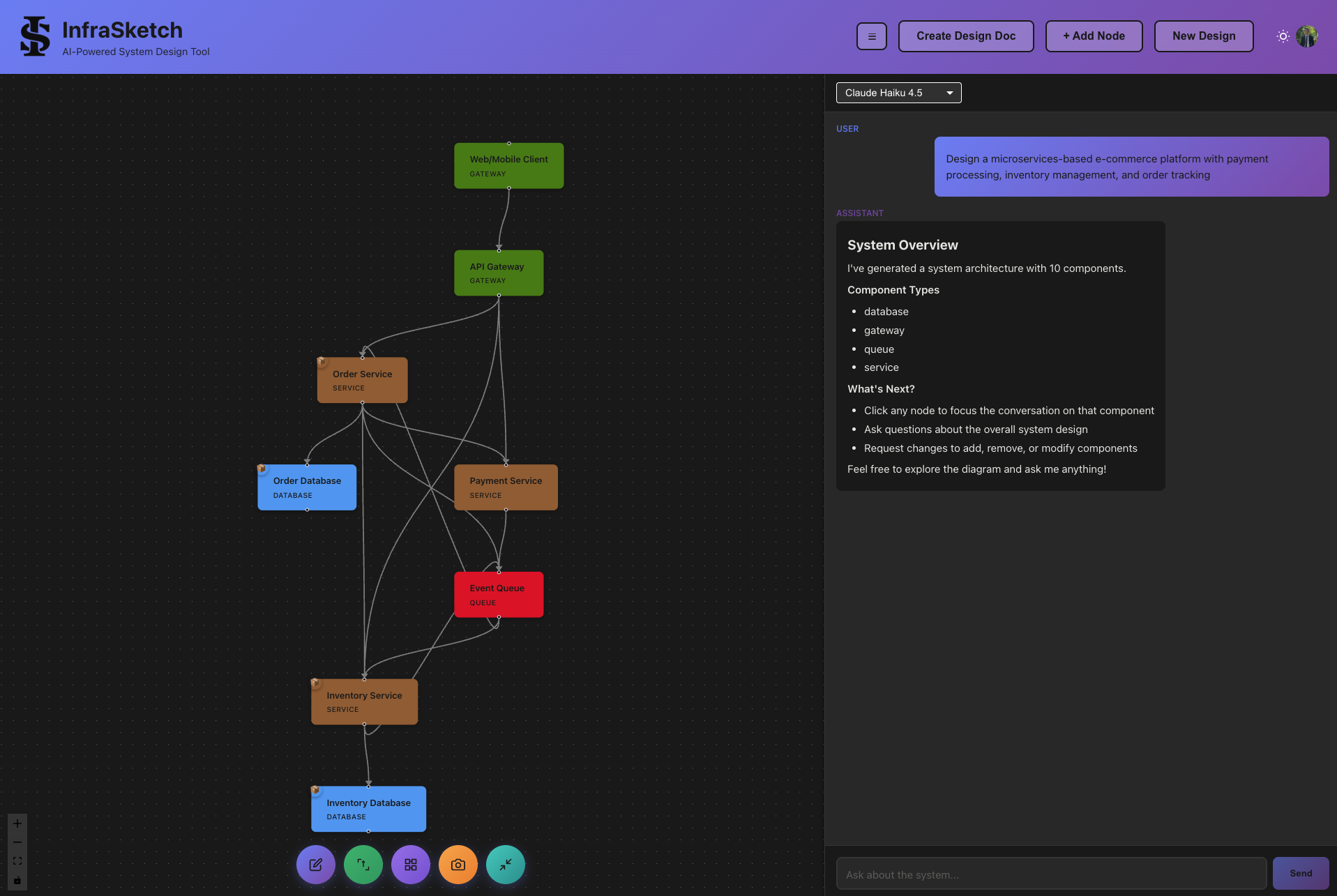
Expand groups to see all components
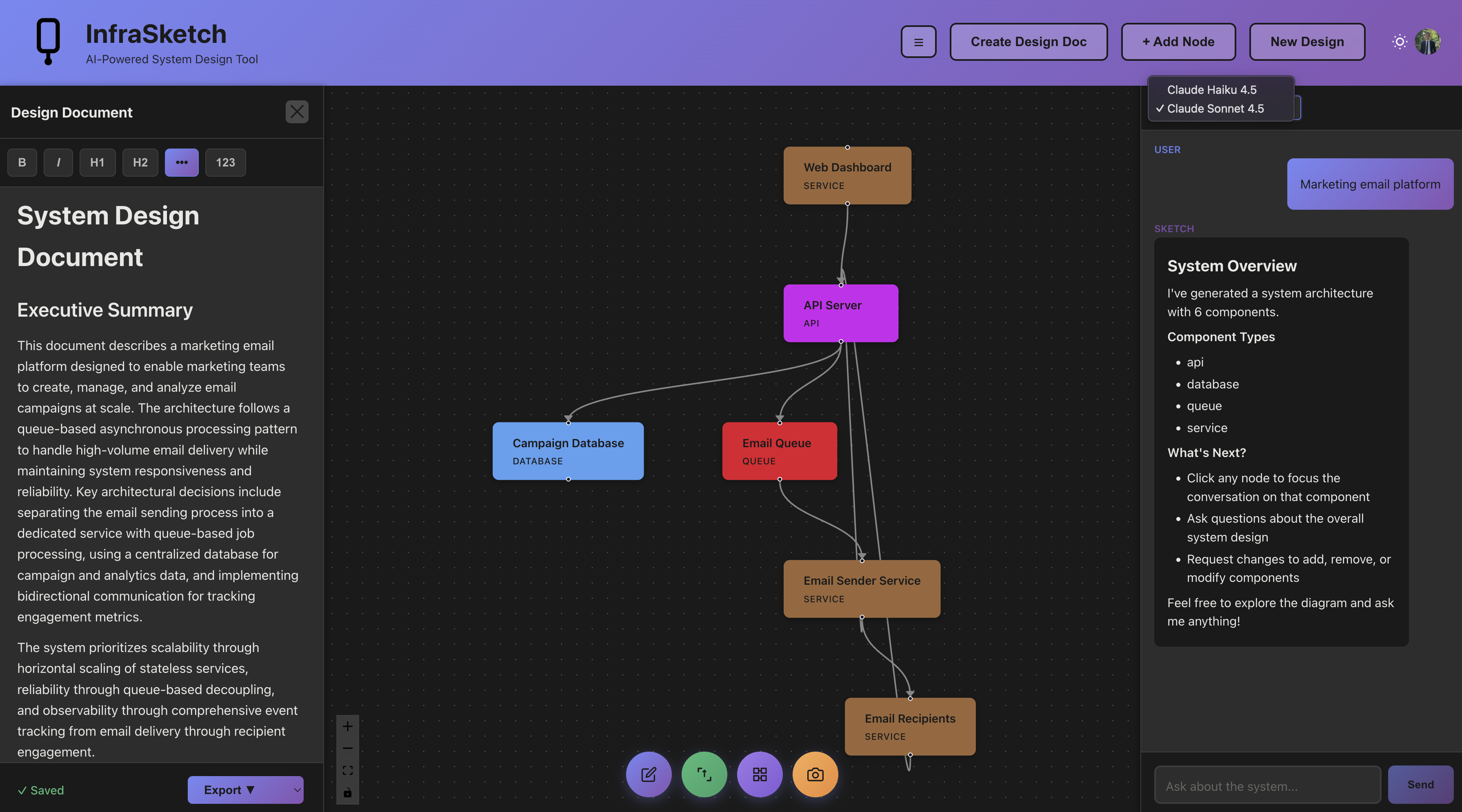
Choose between Speed and Power models
ChatGPT generates Mermaid code that you render separately. InfraSketch generates visual, interactive architecture diagrams directly, with design documents included. No copy-paste, no external renderer needed.
| Feature | InfraSketch | ChatGPT + Mermaid |
|---|---|---|
| Visual Diagram Output | ✓ | ✗ |
| Natural Language Input | ✓ | ✓ |
| Auto Design Document Generation | ✓ | ✗ |
| Chat-Based Refinement | ✓ | ✓ |
| Architecture-Specific Understanding | ✓ | ✗ |
| Persistent Diagram Storage | ✓ | ✗ |
| Export to PNG/PDF | ✓ | ✗ |
| Works Without Other Tools | ✓ | ✗ |
| Multiple Diagram Types | ✗ | ✓ |
| General-Purpose AI Assistant | ✗ | ✓ |
| Free Tier | ✓ | ✓ |
| Pricing | Free tier available | Free tier, Plus from $20/mo |
AI System Design Tool with Auto Documentation
General-Purpose AI with Code-Based Diagrams
ChatGPT can generate Mermaid diagram code, which you then need to render using a separate tool like the Mermaid Live Editor or a Mermaid plugin. The output is text-based code, not a visual diagram. InfraSketch generates interactive, visual architecture diagrams directly in the browser.
InfraSketch is purpose-built for system architecture diagrams. It generates visual, interactive diagrams with auto-layout, component grouping, and design documents. ChatGPT generates Mermaid code that requires a separate rendering step and does not include design documentation.
No. InfraSketch uses natural language input and generates visual diagrams directly. There is no code syntax to learn. With ChatGPT, you often need to understand Mermaid syntax to fix or customize the generated diagram code.
InfraSketch is optimized for system design practice. It generates both architecture diagrams and comprehensive design documents from a single prompt, then lets you refine through conversation. ChatGPT can help with system design concepts, but the diagram workflow requires extra steps to visualize.
Yes. Many engineers use ChatGPT for brainstorming and research, then use InfraSketch to create the actual architecture diagrams and design documents. The tools complement each other well since they serve different purposes.
Create diagrams and comprehensive documentation in minutes. No signup required.
Try InfraSketch Free